November on one page: one line per article or touch-up, sorted by theme.
Training & planning
- Your team's speeds: the plan takes what your dogs really do
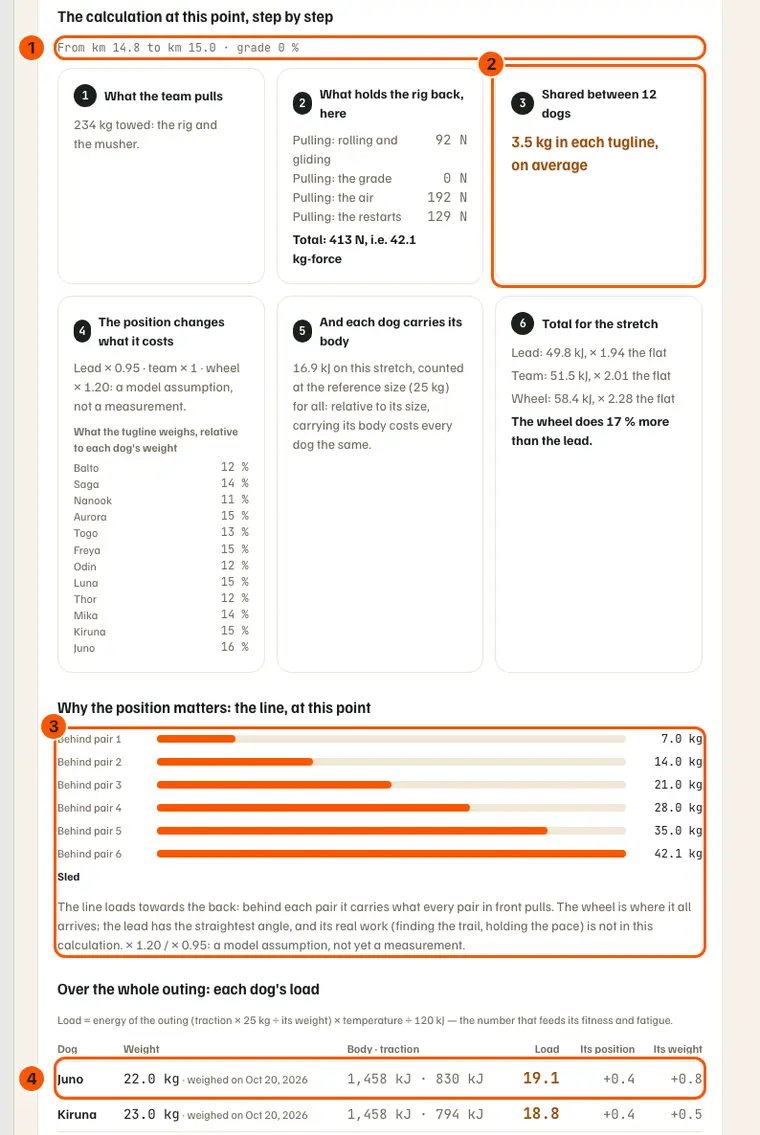
- The effort, step by step: what the terrain asked of each dog
- The live team: at the chosen point, each dog in its position with its effort and running total, if positions were recorded.
- "What if…": replay a run on foot, with another rig or one dog fewer. Nothing is saved.
- Stage race: the long run tops out at one and a half times the longest stage; the "Ceiling" badge shows it.
- Stage race: the format comes from the longest stage, not the total; kart and quad in Mid-distance rise to 120 km/week.
- Each dog's load accounts for its weight: a lighter dog works harder. The plan also counts each dog at its own weight.
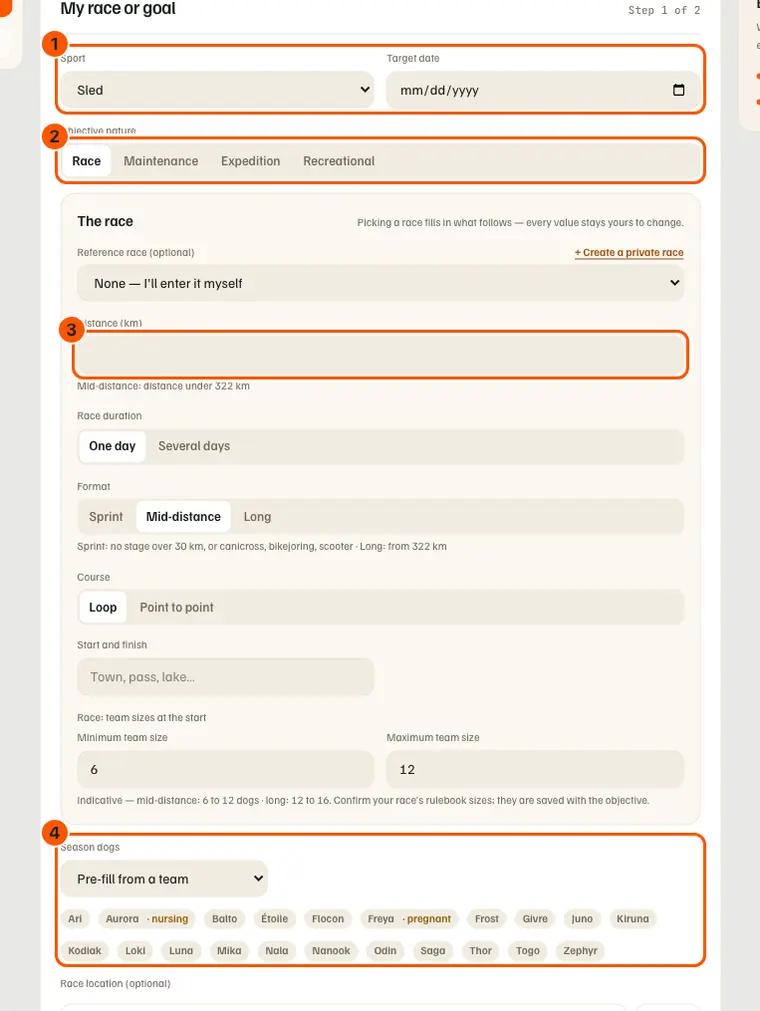
- The current goal is the nearest one that has a plan: a race noted without a plan no longer jumps ahead.
- A touring season's card says what it is: its dogs, its period, with no kilometres or plan to generate.
- On the phone, Objective shows your expert's verdict; the owner requests, or requests again, validation.
On the trail
- Send my position: where you are, to whoever you choose, in two gestures
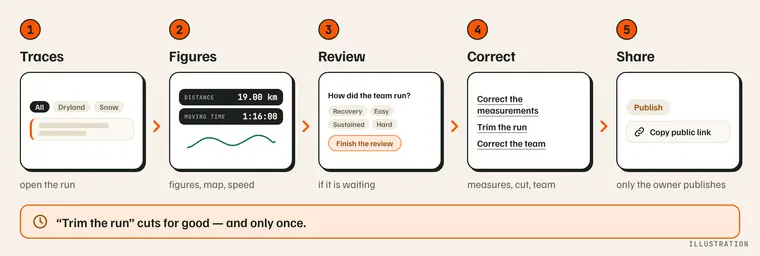
- On the phone, a sent run can be trimmed from its review: once only, with a connection.
- The kart becomes a rig in Gear: linked to the outing, it counts its kilometres. "Equipment" only offers rigs of the activity.
- On the phone, a run is deleted from its "⋯" in review, without going back to the Journal.
- An outing without traction recorded on GPS now shows the map of its track, on the site and on the phone.
- A yellow dot on the calendar marks a run whose per-dog review is waiting; it goes out once the review is done.
- A dog added after the run takes its place on the line; quick start reuses your last team, even an odd one.
- On the phone, "Which activity?" is chosen surface first: on Snow, no bike or kart.
- During the run and at the start: glove-sized buttons, weather in three lines, dogs on the review's first screen.
The dogs
- Import the vaccines of your whole kennel from your spreadsheet
- Reproductive status, usual position, six more findings: what you record
- Those who ran with us: a sky for the dogs who have left
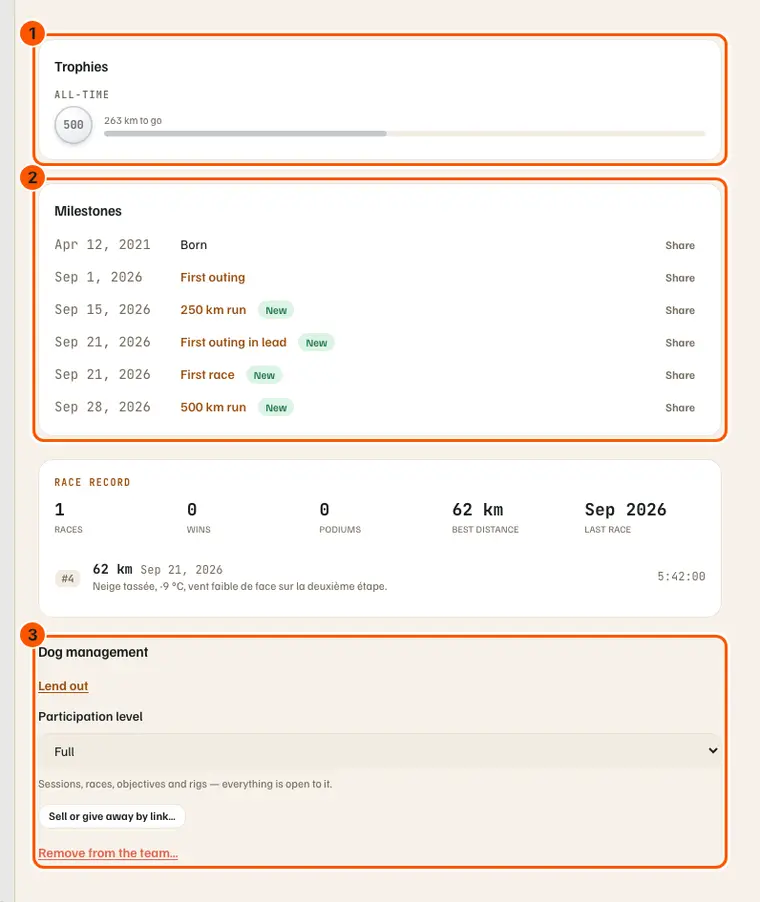
- The harnesses: eight trophies for your dogs, and three awards to give after a run
- On the phone, a treatment or vet visit starts from the Health tab; "Following" links a care record to its incident.
- On the phone, the owner shares a food or proposes a harness to the shared catalogue, with a connection.
- Two dogs of one kennel no longer share a bubble: ORAGE and ORAN become OG and ON.
- On the phone, twelve printable sheets from the site are shared as PDF (logbook, rations, plan, race sheet…), with a connection.
- The site shows the season leaderboard, read-only, with the phone's sixteen measures and harnesses.
- Compare: the first year takes half of the age axis, a slider sets its room; the spay or neuter becomes a band on the curve.
Racing
- On the phone, a race result is imported from a link, a photo or a PDF; you check everything before it is written.
- Belgium and the Netherlands join the race calendar, in the Country filter and in event proposals.
The app
- One floor at the bottom of the phone: “Go” in the middle of the dock
- Choosing and typing on the phone: no more dropdowns, one field per row
- The sky on the home screen: snow, rain and the northern lights, without leaving your dogs
- Partner offers: a brand's discount code, for MushMate members
- The Northern lights page opens at any hour: from Today's weather sheet on the phone, under the dashboard weather on the website.
- The "Go" sheet: a drawing per choice. Recent Android: no more light band. "Leave the run?": orange on "Keep tracking".
- The Journal on the phone opens on the week: five runs without scrolling, two lines each.
- The season leaderboard lines up its eight choices on one scrolling row.
- "Record a size" fits in four lines: Type, Brand, Model, Size.
- At the end-of-run review, "Type of injury" and "What happened" each fit on one line.
- First screen: two equal doors, "Go right away" and "The kennel". Today: short weather, tasks visible on opening.
- At the foot of the first screen, only the current language, "EN ▾": one touch opens the list of languages. No language added.
- Today: the last 14 days as a chart, trophies on one row, a task ticked from a round mark.
- "Export my data" reaches the phone, and the export no longer stops at 1,000 rows per table.
- The website's home page opens faster: what is read separately fades in, in its place.
- The SKIMATE camp shows on every map: an orange marker by the lake at Älvsbyn.
- An outing imported from Strava carries the "View on Strava" link, for you alone.
- On an iPhone, the website's home points to Safari and to the TestFlight test version, pending the App Store.
- On the phone, "Close" moves to the top right of every sheet; every pictogram has the same stroke.
- Motion and buzzes on the phone: pages slide, the dock slides down, twelve gestures buzz with a short tick.
- "Log" opens on three rows, instead of large tiles.
- On the phone, weight and distances follow the kennel's units (kg and km, or lb and mi) on the dog's page, Compare and Places.
- On the phone, "My consultations" shows your upcoming appointments, with "Join" for the video call.
- On the phone, a coach reads an athlete's Analysis, read-only, with a connection.
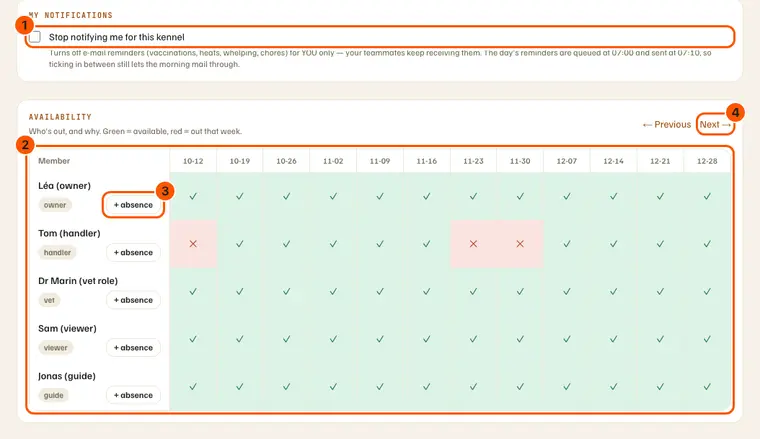
- Manage › Members shows the team's availability over 12 weeks; everyone can declare an absence there.