What you will do
Read your club's leaderboard — the cumulative kilometres of each member kennel —, give the address of its public page and, for the founding kennel, decide whether search engines find it.
What you need
- A kennel that belongs to a club. Every role reads the leaderboard.
- To make the page findable in search engines: be the owner of the founding kennel.
Step by step
- Open Team › Club › Leaderboard. The cumulative kilometres recorded (outings and races) by each member kennel show for the current year — "2026" —, the previous year — "2025" — or "All time".
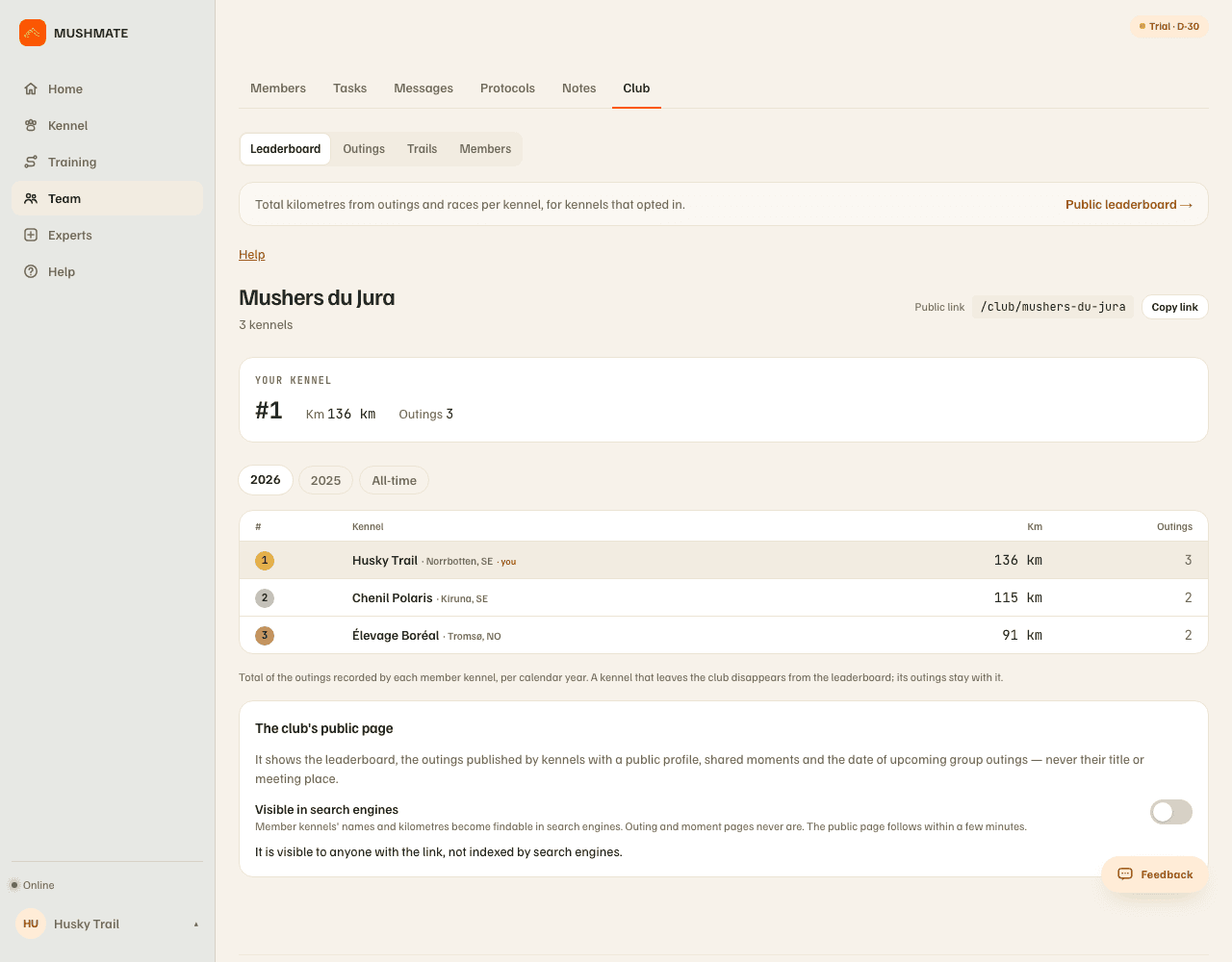
- Read the "Your kennel" card: your rank, your kilometres, your number of outings. The top three ranks carry a medal; below, only the number shows.
- Give the club's address: "Copy link" (the public link, of the form
/club/…). It opens, with no account, the public page: the same leaderboard, the club's showcase — the member kennels' outings published with a "Public profile", shared moments, the date of upcoming group outings and how many kennels are coming —, then an invitation to create one's kennel.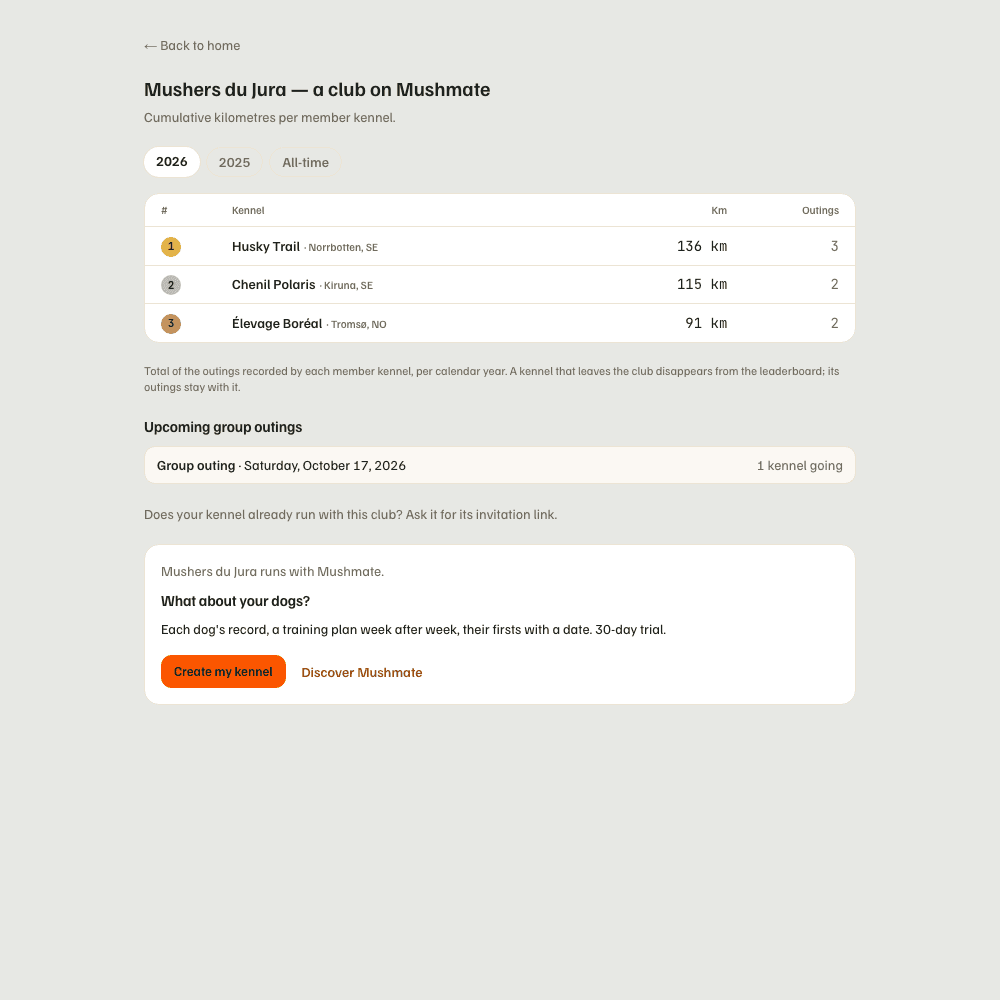
- Read the "The club's public page" card, under the leaderboard: it says what the page shows and whether search engines find it.
- To make it findable (founding kennel), turn on "Visible in search engines". The member kennels' names and their kilometres become findable; the page follows within a few minutes.
What you should see
- Your rank up to date as soon as an outing is recorded, and the gap separating you from the kennel just above.
- A "The club's public page" card that says "It is visible to anyone with the link, not indexed by search engines." — the default state — or "It is indexed by search engines, as the club's founder chose."
- A "Public leaderboard →" link at the top of the tab: another page, see below.
What others see
- Any visitor, without an account, sees the leaderboard, the showcase and the upcoming outings (the day and the number of kennels — never the title or the place).
- Search engines only find the page if the founder chose so. The pages of published outings, moments and invitation links are never indexed.
- A kennel that doesn't want its name to be findable can leave the club: "A kennel that does not want this can leave the club from the Members tab."
What it does not do
- Nothing is public by default: by default, the page is shared by link.
- A kennel that leaves disappears from the leaderboard; its outings stay its own.
- The leaderboard says nothing about the dogs: only the kennel's name, its region and its kilometres.
- The public leaderboard (
/classement) is another page, outside any club, which ranks every kennel that turned on "Public leaderboard" in Settings; one doesn't count as consent for the other.
If something goes wrong
- Your kennel doesn't appear in the leaderboard: no outing recorded over the displayed period — change the year or "All time" — or the kennel has just joined the club.
- You don't see the "Visible in search engines" setting: it is reserved to the founding kennel.
- On the phone, you read the leaderboard and share the club's public link; the search visibility is set from the founding kennel; the public leaderboard
/classementhas no screen of its own on the phone: "Public leaderboard →", under the club's leaderboard and in Settings, opens the website page inside the app (online).
Going further
- The club's trails and your times.
- Club and leaderboard: the complete reference (including the public leaderboard and its setting).