What you will do
Share a trail with your club, see the ones the other kennels share, and choose — for this club only — whether your best times enter the club's leaderboard on these trails.
What you need
- A kennel that belongs to a club.
- A saved trail (an outing that becomes a trail, or an imported trail): a trail is private as long as its kennel hasn't shared it.
- The owner role to share a trail and set the times agreement.
Step by step
- Share a trail: on the trail's page (Traces, Trails tab), "Share with" the club. Proposing it for an outing shares it too: in "Propose an outing", the "Trail" menu offers those already shared with the club and your own; choosing one of yours shares it.
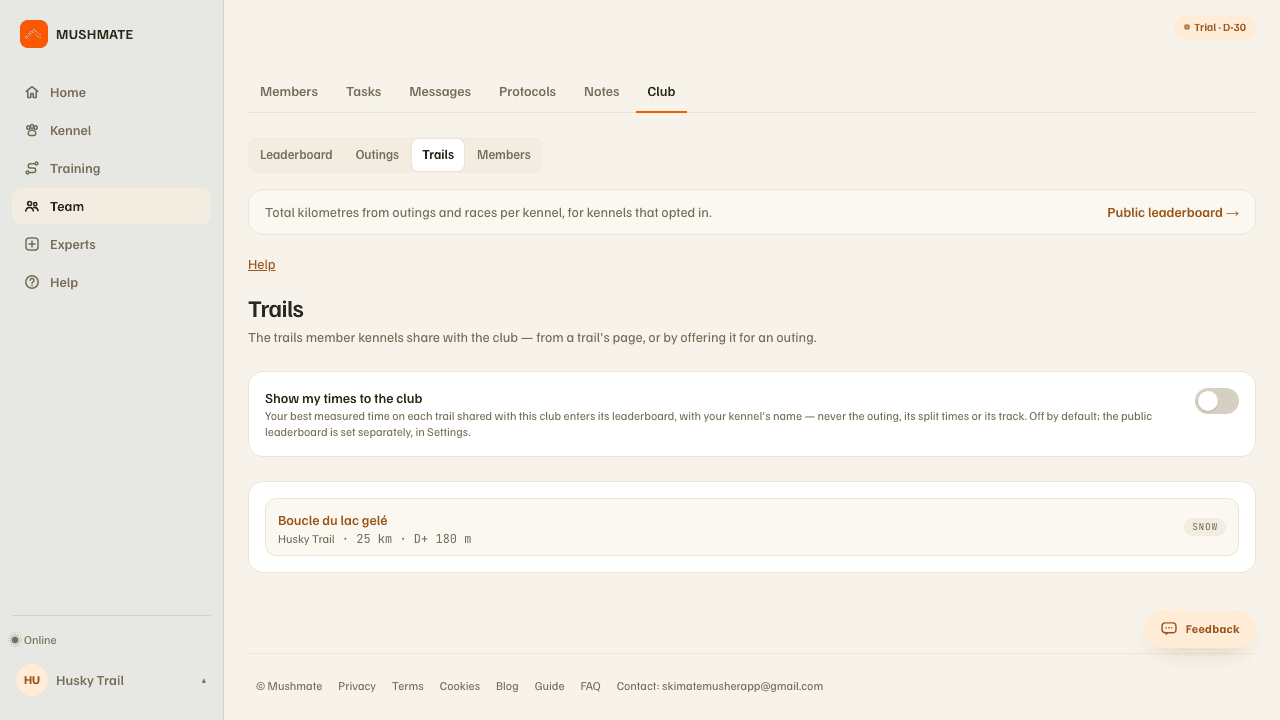
- Open Team › Club › Trails. The tab lists the trails the member kennels share with the club: name, the kennel that shares it, distance, climb if known, and the surface type.
- Open a trail: its name leads to its sheet, with its map, and the club's leaderboard on that trail — the best measured time of each kennel of the club that accepted, brought back to the trail's distance.
- Decide about your times: at the top of the tab, "Show my times to the club" gives the agreement for THIS club. It is off by default.
- Withdraw it whenever you want: on the trail's page, "Remove from" this club.
What you should see
- The trails shared by all the kennels of the club, with their line on their sheet.
- The state of your agreement: "On" or "Off"; roles other than the owner read the state without changing it.
- The club's leaderboard on a trail, with only the kennels that gave their agreement.
What others see
- The club's members see the trail's name, distance, climb, surface and line — never the pace: the passing times of an imported GPX file don't leave your kennel.
- If you turn on "Show my times to the club", only the time leaves, with your kennel's name, the outing's distance and its date — never the outing, its passing times or its line.
- Nobody outside the club: the agreement publishes nothing outside the club.
What it does not do
- The public leaderboard doesn't count as an agreement for a club, and this agreement publishes nothing outside the club: the two are set separately.
- Leaving the club erases the agreement and takes your trails away; coming back doesn't re-share them: sharing was a gesture, it is redone.
- A saved trail isn't shared automatically: only its kennel shares it.
- No time is invented: a trail's leaderboard only holds measured times.
If something goes wrong
- You don't see your trail in the tab: it isn't shared with THIS club; share it from its page, or propose it for an outing.
- "This trail isn't shared with the club.": proposed for an outing, it must first be shared (or be one of yours, which gets shared along the way).
- You can't change the agreement: "Only the kennel owner chooses to show its times to the club."
- On the phone, the Trails tab and the "Show my times to the club" setting are in the club screen.
Going further
- The club leaderboard and its public page.
- Times: your trails' times: the complete reference.