What you will do
Propose an outing to every kennel of your club, answer it in one click, and share it with a link to paste in the club's group (WhatsApp, Messenger…).
What you need
- A kennel that belongs to a club. See Founding a club or joining your team's.
- The owner role to propose an outing or answer for the kennel: another role reads, and reads this reminder: "Only the kennel owner can propose an outing or answer for the kennel."
- Optional: a saved trail to propose with the outing.
Step by step
- Open Team › Club › Outings. The upcoming outings proposed by the club's kennels are listed there.
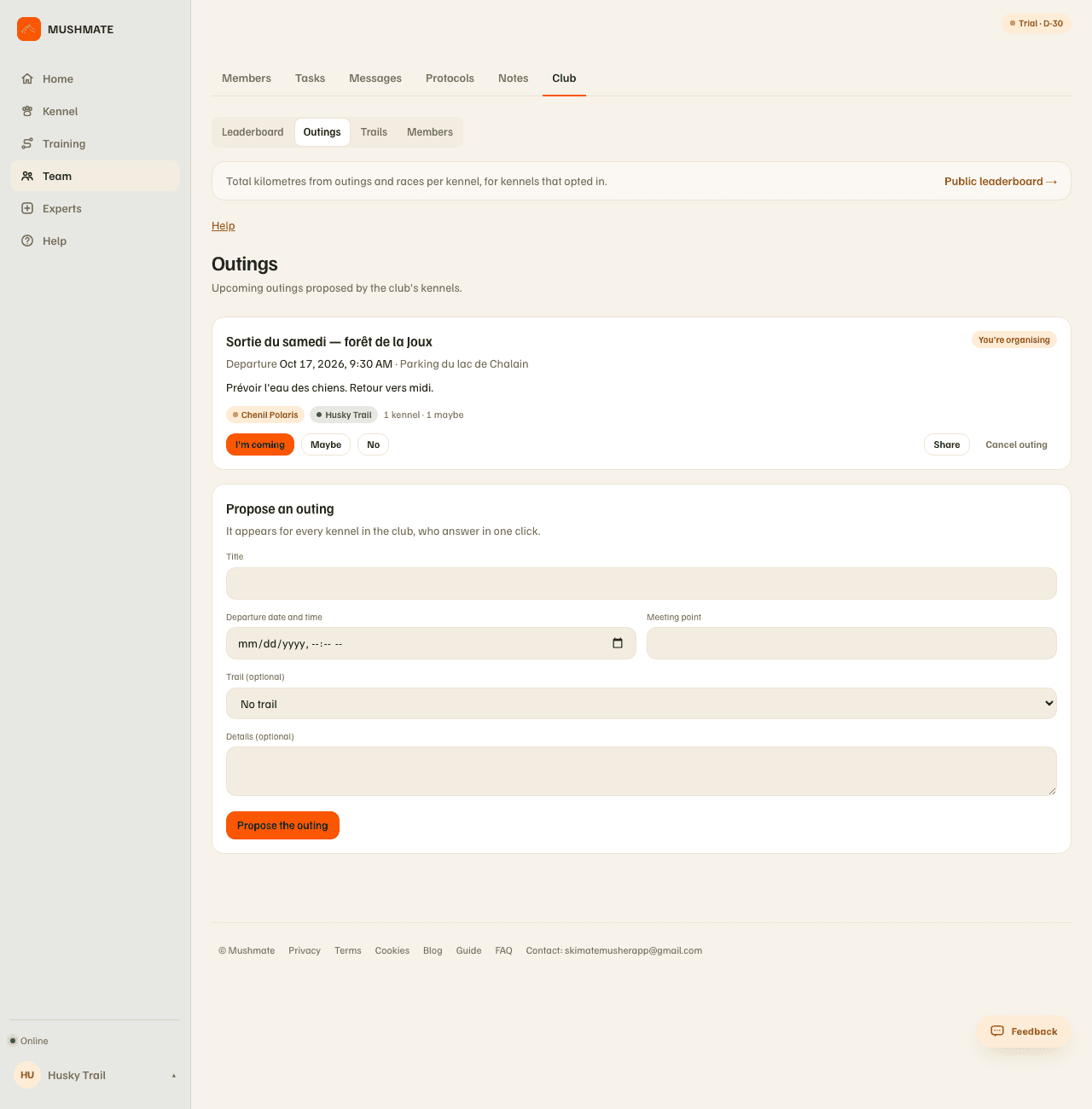
- Fill in "Propose an outing": the title, the departure date and time, the meeting place, a trail (optional) and free-text details, then "Propose the outing". It appears at once for every kennel of the club.
- Answer, on behalf of your kennel: "I'm coming", "Maybe" or "No". A kennel that hasn't answered yet is reminded of it on its own card.
- Share: "Share", on the outing's card, gives its link. On the phone, the share sheet opens; on a computer, the link is copied ("Link copied"). Paste it in the club's group.
- Cancel if needed: "Cancel outing" (whoever proposed it, or the founding kennel) asks for confirmation: "Cancel this outing? The other kennels' answers go with it."
What you should see
- On the outing's card: the title, "You're organising" for yours, the departure (date, time, place), your details, and for each answer the kennels' names ("1 kennel · 1 maybe").
- At the other kennels, the same outing, with the three buttons.
- On the club's public page, only "Upcoming group outings": the day and the number of kennels coming.
What others see
- The club's members see everything: the title, time, place, details, the trail and the kennels' answers.
- Anyone who opens the shared link without being in the club only reads "Group outing", the club's name, the day and the number of kennels coming — never the title, time, place, details or the names of the kennels that answer. The link can therefore be forwarded without revealing anything.
- A member who opens the link, signed in, lands on the outing itself and can answer it.
What it does not do
- The link doesn't make anyone enter the club: for that, you need the founder's invitation link.
- Proposing one of your trails shares it with the club (name, distance, climb and line, never the pace): the menu says so under "Trail".
- Only the kennel's owner answers: the answers are the kennel's, not a person's.
If something goes wrong
- "Enter a departure date and time.": the date and time are compulsory.
- "Your kennel is not (or no longer) a member of this club.": you left the club, or were removed from it.
- You don't have the "Cancel outing" button: it is reserved to whoever proposed it and the founding kennel.
- The shared link shows almost nothing: that is on purpose for someone outside the club; a signed-in member sees everything.
- On the phone, you propose, answer, cancel and share as on the website, but online only.
Going further
- The club leaderboard and its public page.
- Club and leaderboard: the complete reference.