What you will do
Describe a season (its dates, its climate), declare a goal in it — a race, maintenance, an expedition or recreation — and read the plan MushMate builds for your team, week by week.
What you need
- A training or mixed kennel, with dogs: the goal harnesses dogs of the season. See Adding your dogs.
- The owner role to create a season or a goal.
- A date and a distance for your goal; the rest (reference race, place, per-outing limits) is optional.
Step by step
- Open Training › Plan. With no season, the page opens on "New season"; otherwise, "+ New season" is at the top of the list of seasons.
- "My season" step: the season start, the dryland start, the snow start, the end of harness work and the end of season. The order is imposed — each period runs until the next — and the dryland/snow arc is optional: leave it empty if your season has no switch.
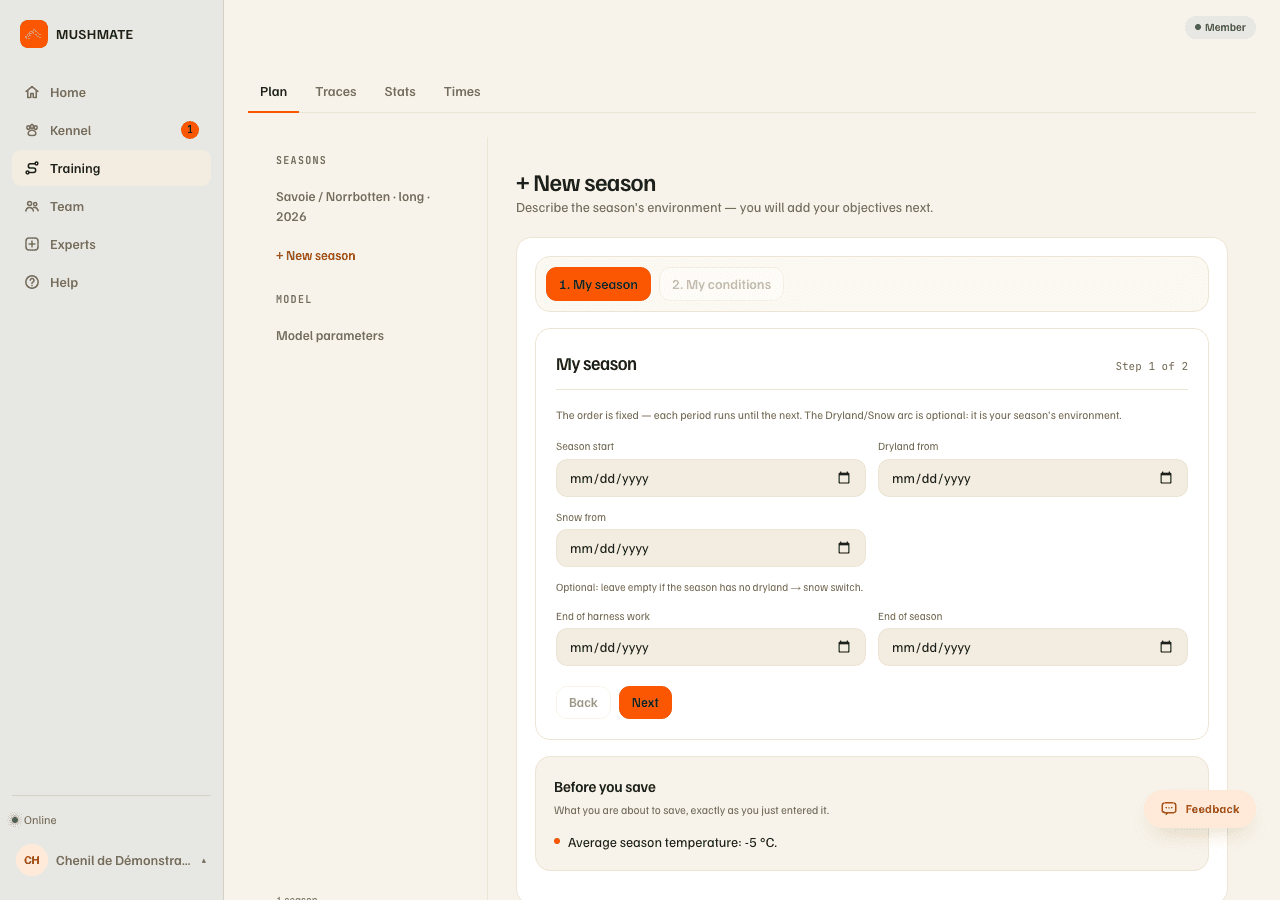
- "My conditions" step: the season's average temperature, a heat threshold (optional) and the region (optional), then "Create season". A "Before you save" box rereads what you just entered.
- On the season, click "Add an objective". "My race or goal" step: the sport (Sled, Canicross, Bikejoring, Scooter, Skijoring, Kart, Quad), the target date, the nature (Race, Maintenance, Expedition, Recreational) and the distance. A reference race from the catalogue fills in the rest, or "+ Create a private race"; the discipline (mid-distance or long) is deduced from the distance. Tick the dogs of the season, and a place if you want (it serves to prepare the region's offline map).
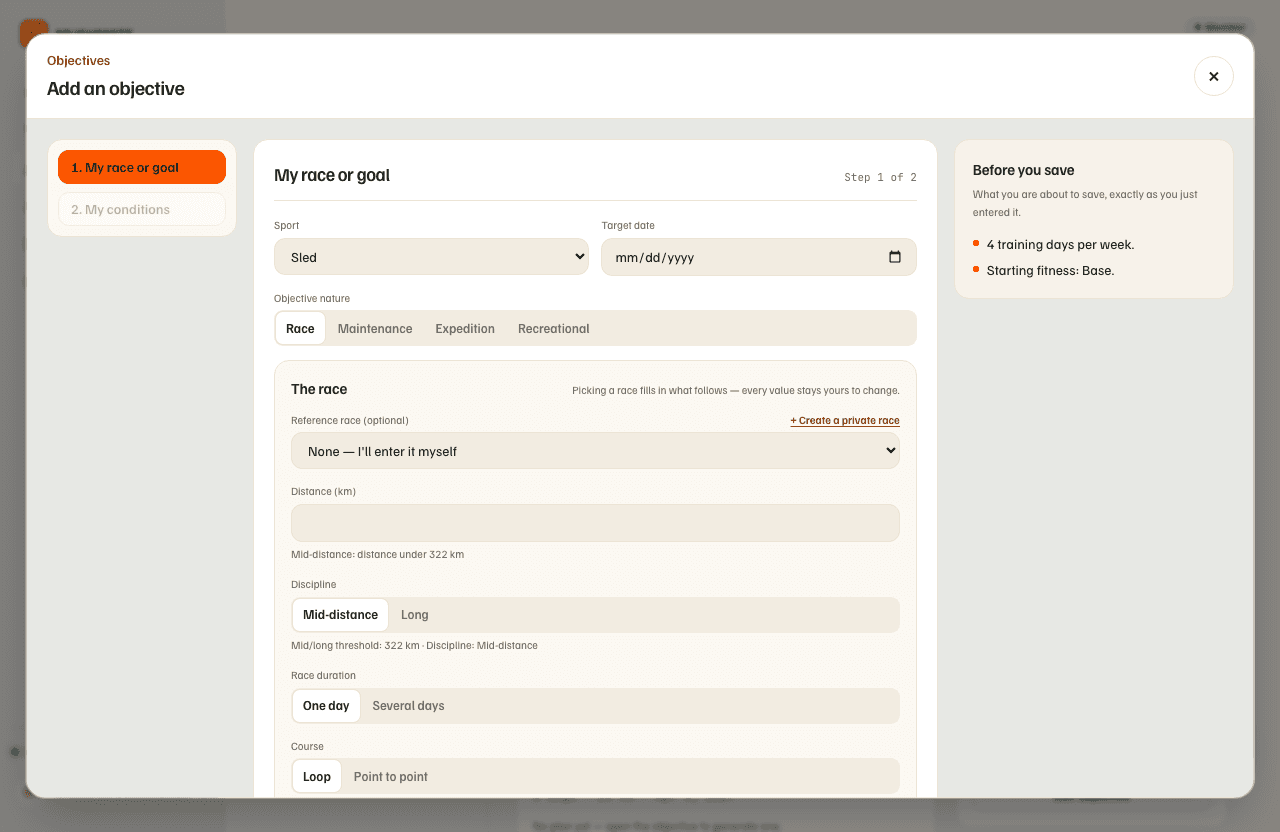
- "Next": "My conditions" step: your starting fitness (Deconditioned, Base, Trained), the training days per week, the days you never run, maximum distances per outing (optional), your long-run days, the equipment (Trotteur, Quad, Kart) and the terrain. A sentence, "What the engine will build", gives the plan's length in weeks, the number of runs per week and whether the preparation fits in its four phases.
- "Add an objective". The plan is generated at once and the goal's page opens on the "Plan" tab.
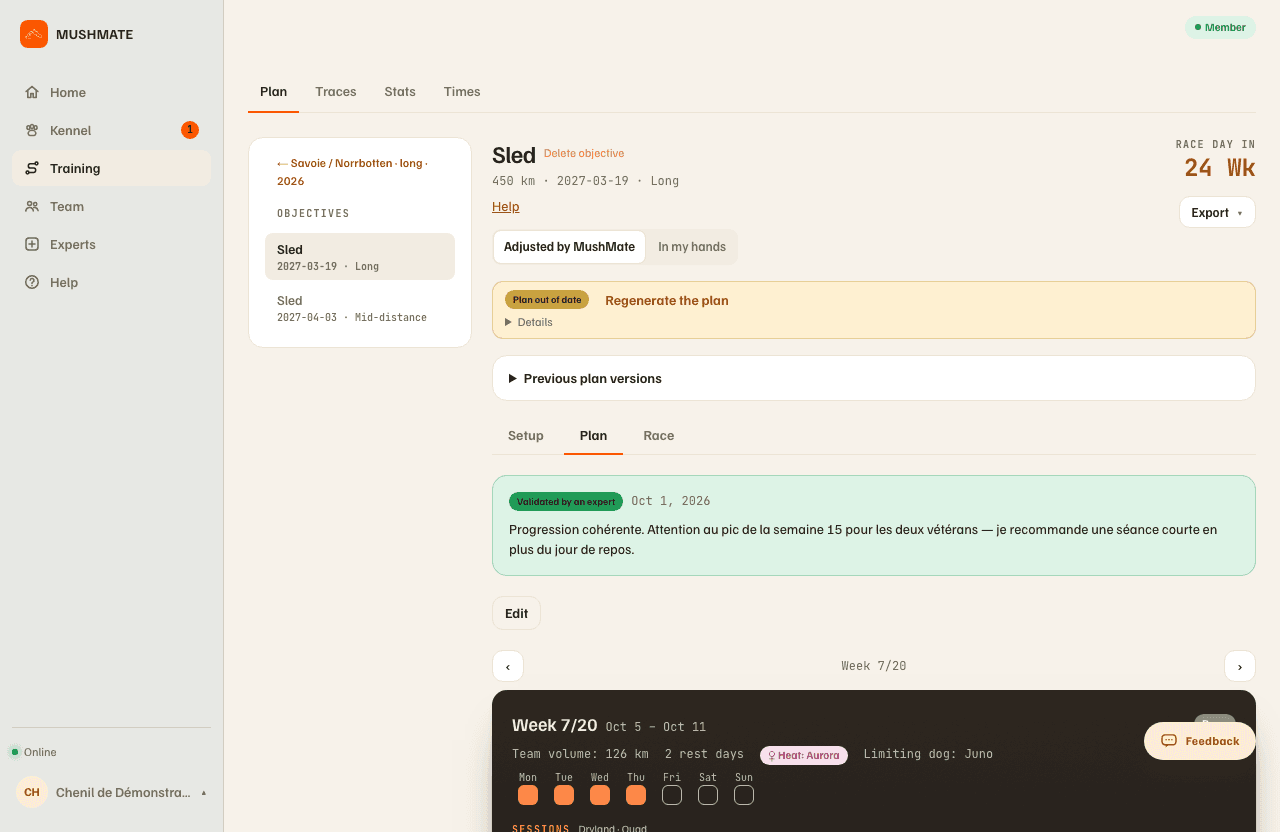
- Read it: one bar per week (its height follows the planned volume, a flag marks the goal and each milestone), then, for the chosen week, its volume, its rest days and its sessions (date, distance, "up to" a speed, effort zone).
What you should see
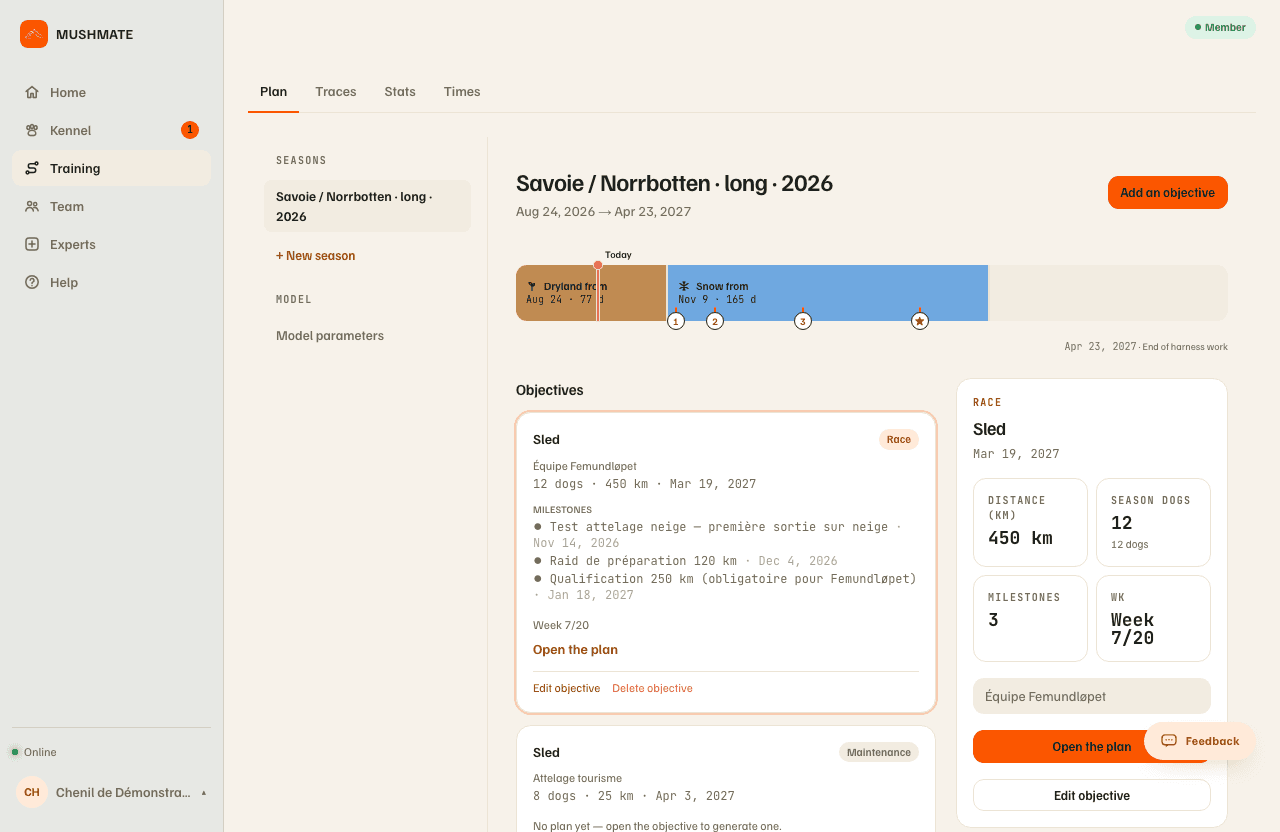
- One card per goal on the season: the sport, its nature, the group and its number of dogs, the distance, the target date, and where its plan stands ("Week 5/28"), with the "Open the plan" button.
- "Who runs this plan": "Adjusted by MushMate" (the starting setting) or "In my hands". See Adapting your plan.
- An "up to" speed on every session: it is a ceiling, not a target — go slower if that is your dogs' comfortable pace.
What others see
- The members of your kennel see the season, the goals and the plan according to their role; those who can't generate read the plan ("Open read-only").
- Nobody outside the kennel. A private race is only visible to you.
What it does not do
- The plan isn't a vet's opinion: an expert can validate it (Plan tab, "Request a validation"), MushMate doesn't do it in their place.
- "Up to" isn't a speed instruction: it is a ceiling.
- The days you tick get no session at any regeneration; a race, though, falls on its date whatever happens.
- A per-outing limit doesn't carry the removed kilometres to another day: the week's volume drops accordingly. A race or a milestone is never shortened.
If something goes wrong
- "Plan not achievable as-is": "The welfare guardrail can't prepare the declared objective on this window (team/duration)." The plan is still shown for reference; ease the event, strengthen the team or lengthen the preparation, or click "Understood — show it anyway".
- "No plan yet — the Configuration tab is where you generate it.": the generation didn't happen at creation (for example because the plan service was unavailable); open the Configuration tab and click "Generate plan".
- No "Add an objective" button: only the owner has it; other roles read.
- On the phone, the Objective screen carries the season and its goals (the owner creates and edits them as on the web); "Actions" holds the goal's gestures. When several goals are under way, chips at the top of the Plan screen offer one per goal (named by its team, or "sport · date"): "Several objectives are under way: choose the one to show." A tap shows the goal and remembers it; with a single goal, nothing changes.
Going further
- Adapting your plan: closing a day, editing a week, taking it in your hands.
- The training plan: the complete reference (milestones, versions, race file, model settings).