What you will do
Record each puppy of the litter, follow its weight day after day, log its care (deworming, vaccine, microchipping, vet visit) and spot in time a puppy that is falling behind.
What you need
- A litter whose whelping is recorded: "Add puppy" only appears from the whelping on, and until weaning. See Declaring a litter.
- Nothing is compulsory for a puppy: the name, sex, collar, birth order, coat, time and birth weight are all optional.
Step by step
- Open the litter and click "Add puppy". Fill in what you know — name, sex, collar colour, birth order, coat or markings, birth time, birth weight in grams — then "Save". The puppy appears in the table, status "Alive".
- Weigh it: in the "Weight" block, "+ Weigh" records a weighing (grams, date, length in centimetres as an option). Each weighing feeds the puppy's curve.
- Care for it: on its row, "+ Care" records a deworming, a vaccine, a microchipping, a vet visit or a simple note, with its date and, as an option, a next reminder. For a deworming given the same day to every puppy, "+ Care (whole litter)" sets it at once on the living litter.
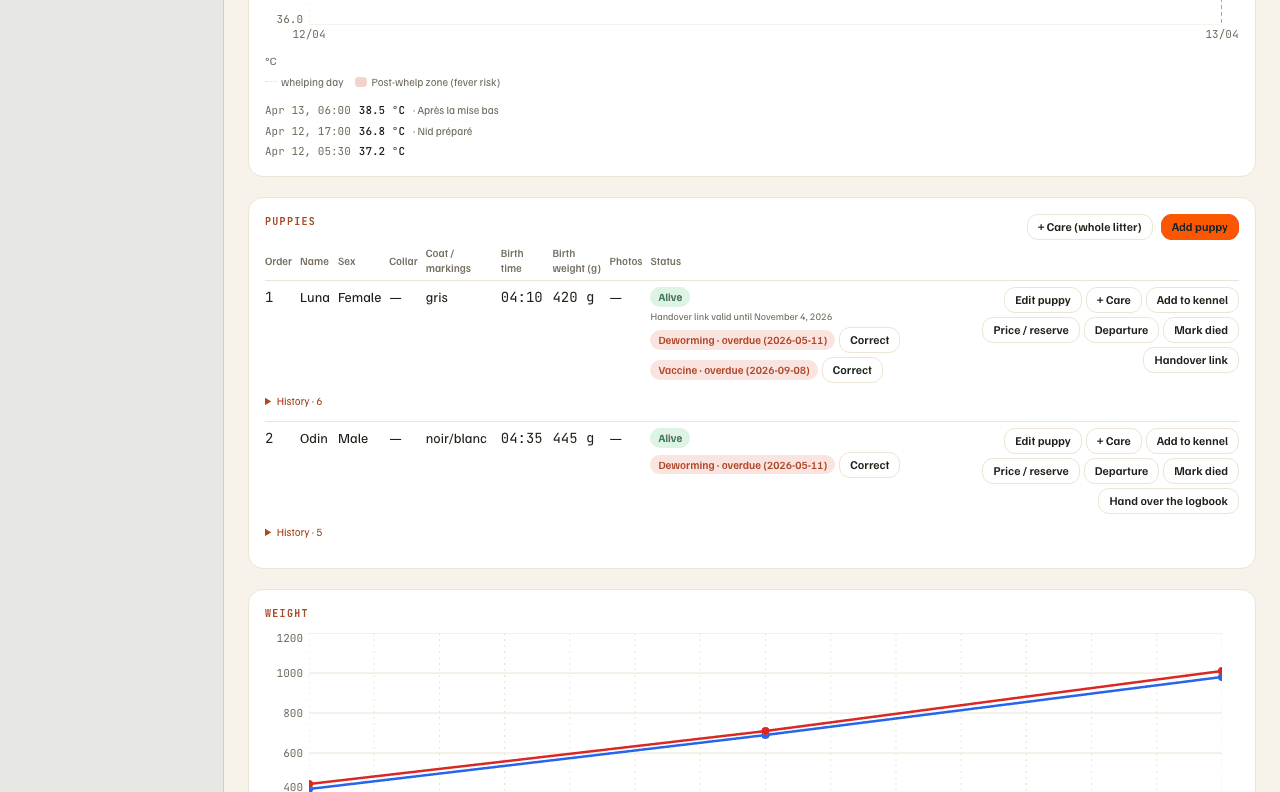
- Reread its history: "History" under the puppy's row unfolds its birth, weighings, care and any death.
- Fix a typo: "Edit puppy" stays possible whatever its status — even for a dead puppy or one that has already left.
What you should see
- A "due" pill (reminder within 7 days) or "overdue" on a care whose reminder is due; clearing the reminder date once the care is done turns it off.
- "Losing weight" when a puppy loses from one day to the next; "Slow growth" when it gains less than 10 g a day — a newborn should gain about 10 g a day at the very least. Both signals need at least two weighings on different days to be calculated.
- A puppy that leaves keeps its history: care, weighings and a death stay readable.
What others see
- Photos of puppies are added from the mobile app (the gallery of the puppy's sheet, taken or picked then compressed before upload); the web shows them, but doesn't offer a button to add one yet.
- On the litter's public page, a visitor sees each puppy still available: photo, name, sex, coat, birth date, price if set, destination and description. Never your care notes or the weighings.
What it does not do
- There is no diagnosis: "Losing weight" and "Slow growth" are signals to check, not a vet's opinion.
- The web doesn't correct a weighing already recorded: reread it before saving. A care, though, can be corrected: "Correct" under the care in the puppy table (web), or the puppy's menu › "Care" (phone).
- No "guessed" weighings: with fewer than two weighings, no weight signal lights up.
- No photo added from the web, today: the phone takes them.
If something goes wrong
- No "Add puppy" button: the whelping isn't recorded yet, or weaning has started. Open the litter and check its status.
- A puppy died: "Mark died" records a date and, as an option, a cause; its sheet stays editable.
- On the phone, each puppy's menu carries "Edit" and "Care" (reread its care, correct one); the mother's temperature, the puppies and the weighings are in the "Litters" space of the Kennel.
Going further
- Publishing a litter: showing the available puppies to future buyers.
- Handing over a puppy's logbook: when a puppy leaves, its logbook follows.
- The pack: where a puppy you keep lands, with its own weight follow-up.