What you will do
Reread a run — its figures, track, team, stops —, correct afterwards what the capture got wrong (the distance, the time, the team, the places), and decide whether to share it.
What you need
- A recorded run (on the phone, imported from a file, or entered by hand). See Recording a run.
- The owner or handler role to correct; the owner alone to publish the run.
Step by step
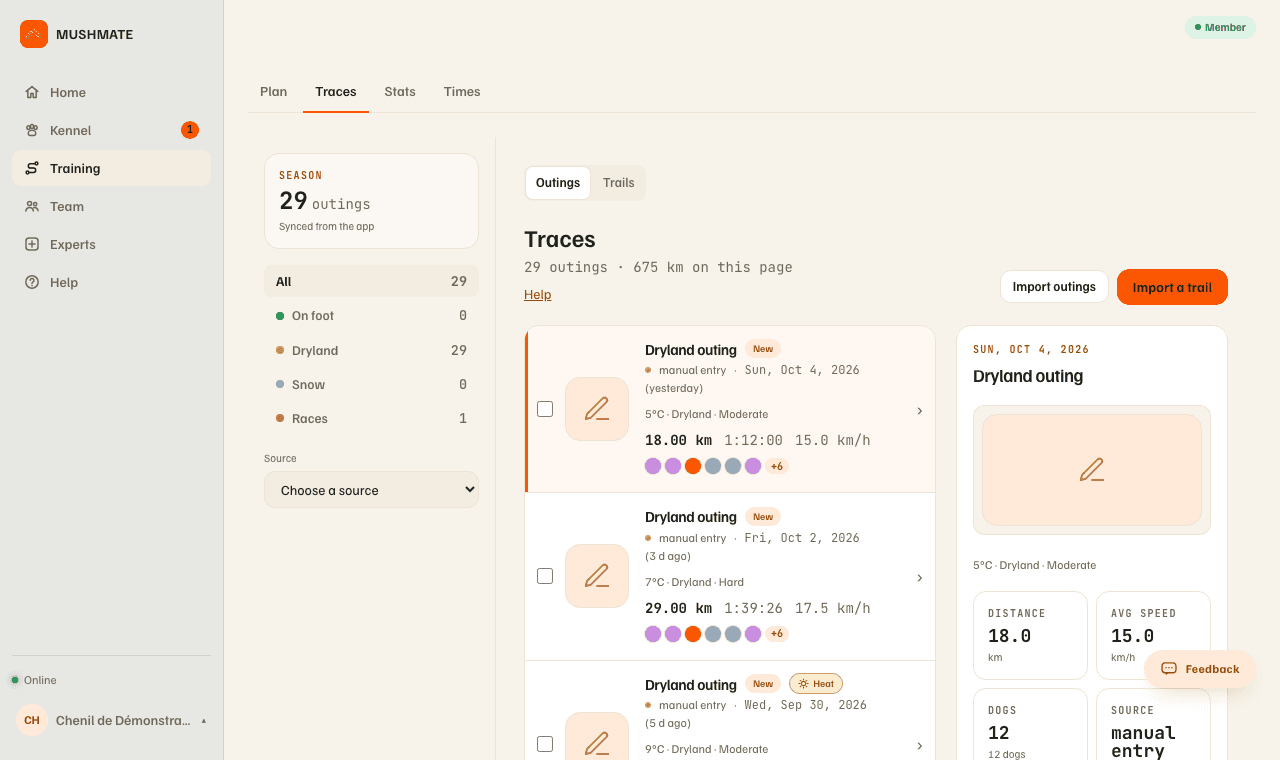
- Open Traces and click the run. The left column sorts runs by folder — "All", On foot, Dryland, Snow, Races — and a "Source" section (Manual outings, Strava import).
- Read the key figures: Distance, Total elapsed, Moving time, Avg speed, Surface. Below, the track map and the speed graph share one cursor; the stops show as bands whose width says their duration.
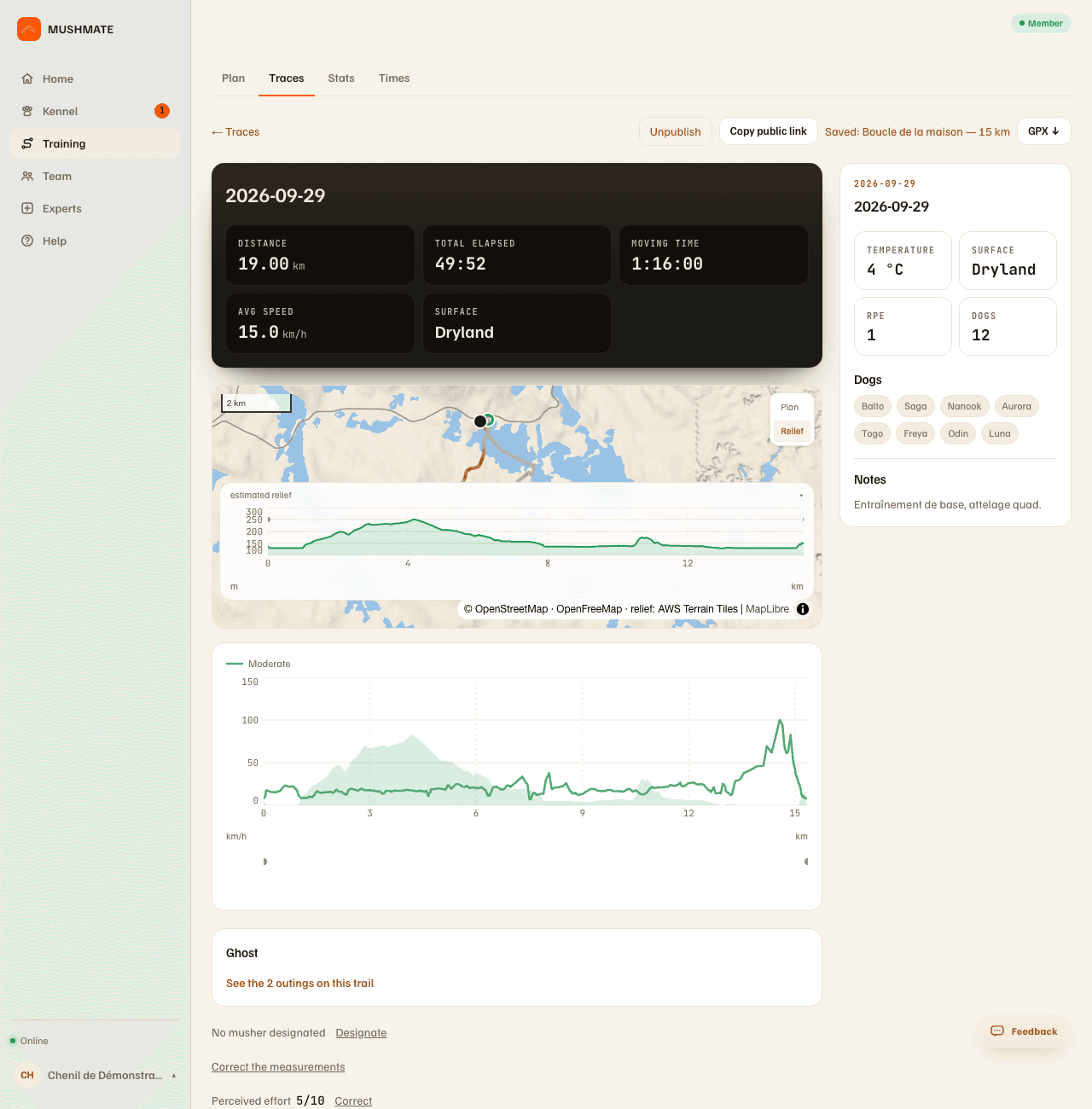
- Read the detail: "Splits (per km)" (time and speed of each kilometre), the "Dogs" card (who ran, and their feeling when noted), "What happened" (the strip of the team and your stops).
- Correct the figures: "Correct the measurements" declares the distance, moving time and climb afterwards; the speed is recalculated, the dogs' load too, and the page says "Declared figures" with the GPS measurement beside it.
- Correct the team: "Correct the team" adds or removes a forgotten dog; "Correct the places" puts each dog back in its real place, at the start and at each change on the way; the run's load is recalculated.
- Say who was driving: "Designate" (then "Change") on the "Musher" line.
- Share, if you want (owner): publish the run and copy its public link. It shows the whole run's figures and its track without its first and last 500 metres.
What you should see
- "Declared figures" beside the GPS measurement after a correction; the map, splits and team stay the GPS's.
- The next start prepared on the phone takes it into account: a removed dog is no longer offered, an added dog is, at its usual place.
- For a run entered by hand, a simpler recap: with no GPS track, no map, no speed graph, no splits, no GPX — but the same settings to correct.
What others see
- The members of your kennel see the run and its corrections.
- With the public link, a visitor sees the run's figures and its track without its first and last 500 metres — the ones that would say where the team starts from; under 1,000 m there is no map. The link only names your kennel if "Public profile" is on.
- A session imported from Strava can't be shared: its track is reserved to the person who imported it.
What it does not do
- "Correct the measurements" doesn't change the GPS: the GPS measurement stays displayed beside it.
- Only the owner and the handler correct: another role reads the run without changing it.
- A run entered by hand has no track, so no map, no track sharing, no GPX.
- A Strava import has no sharing, no GPX, and no "ghost" comparison for its track.
If something goes wrong
- A dog is missing, or misplaced: "Correct the team", then "Correct the places".
- The distance is wrong (a stop, a tunnel): "Correct the measurements"; if a run recorded at an impossible speed skews the plan, fix the data before regenerating the plan.
- You don't see the correction buttons: they are reserved to the owner and the handler.
- On the phone, the run's review carries "Details" (the speed curve, splits, ghost) and "Correct" (distance and climb); see Recording a run. Reopened from Activity, the review also carries the "Public track" card: the owner publishes the track there, and every member shares its link when the page exists ("Public traces" on in Settings).
Going further
- Traces and recaps: the complete reference (detected trails, folders, clean-up).
- Your trails and times: turning a loop you redo into a trail.